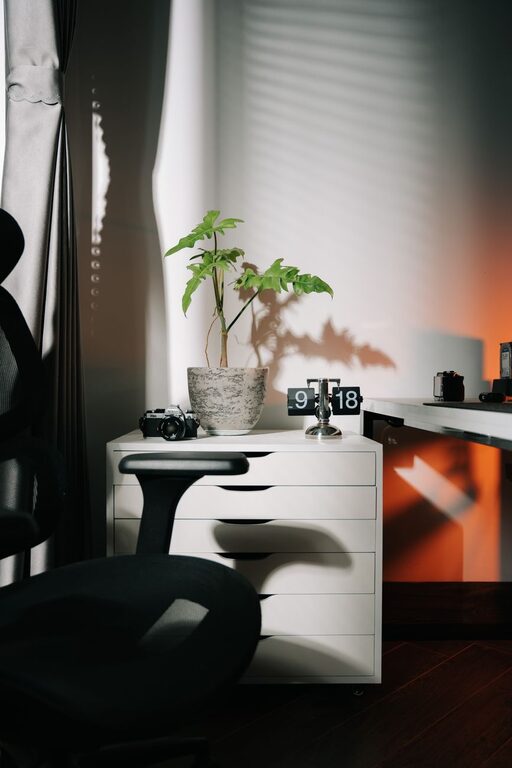
Creating a relaxing home workspace is essential for maintaining productivity, especially when working remotely or spending long hours at home. A well-designed workspace not only helps reduce stress but also encourages focus and creativity. Here are practical tips for setting up a home office that supports both relaxation and productivity.
Choose the Right Location
Finding the ideal spot for your workspace is the first step toward creating a relaxing environment.
– Quiet and Private: Select a space away from high-traffic areas in your home to minimize distractions.
– Natural Light: Position your desk near a window to benefit from daylight, which helps improve mood and alertness.
– Comfortable Size: Ensure there is enough room for your desk, chair, and storage, without feeling cramped.
Invest in Comfortable Furniture
Comfort plays a key role in maintaining long-term focus.
– Ergonomic Chair: Choose a chair that supports your back and encourages good posture.
– Adjustable Desk: A desk with adjustable height options can help prevent fatigue by allowing you to alternate between sitting and standing.
– Proper Desk Setup: Arrange your computer screen at eye level and keep essential items within arm’s reach to avoid unnecessary strain.
Keep the Space Organized
Clutter can create mental distractions. An organized workspace promotes calm and productivity.
– Declutter Regularly: Remove items not related to your work at the end of each day.
– Storage Solutions: Use shelves, drawers, or organizers to keep supplies neat and accessible.
– Cable Management: Tidy up cords with clips or covers to maintain a clean look.
Incorporate Calming Colors and Decor
Colors and decorations influence your mood and energy levels.
– Soothing Colors: Use soft, neutral tones like light blues, greens, or grays to create a peaceful atmosphere.
– Personal Touches: Add a few meaningful items such as photos, plants, or artwork, but avoid overcrowding the space.
– Plants: Indoor plants not only brighten the room but also improve air quality and reduce stress.
Optimize Lighting
Proper lighting supports comfort and productivity.
– Layered Lighting: Combine natural light with task lighting such as desk lamps to reduce eye strain.
– Adjustable Brightness: Use dimmable lights or adjustable blinds to change lighting levels throughout the day.
– Avoid Glare: Position screens away from windows to prevent reflections and eye fatigue.
Minimize Noise and Interruptions
Creating a quiet environment helps maintain concentration.
– Noise-Canceling Headphones: These can block background noise and improve focus.
– Soundproofing: Use rugs, curtains, or acoustic panels to absorb sound.
– Clear Boundaries: Communicate your work hours to family or housemates to reduce interruptions.
Encourage Movement and Breaks
Regular movement prevents fatigue and boosts creativity.
– Take Breaks: Stand up and stretch or walk around for a few minutes every hour.
– Incorporate Exercise: Consider a small area for stretching or yoga to refresh your body and mind.
– Hydration Station: Keep a water bottle handy to stay hydrated throughout the day.
Use Technology Wisely
Smart use of technology can simplify your workflow.
– Organizational Tools: Use calendars, task managers, or note-taking apps to stay organized.
– Minimize Distractions: Turn off unnecessary notifications or use apps that block distracting sites during work hours.
– Reliable Equipment: Invest in quality hardware to avoid technical issues that disrupt your focus.
Maintain Good Air Quality
Fresh air contributes to a healthy and calming workspace.
– Ventilation: Open windows regularly or use air purifiers.
– Avoid Strong Scents: Choose unscented cleaning products and avoid overwhelming fragrances.
Set a Routine
A consistent schedule helps your mind transition into work mode.
– Regular Hours: Start and end your workday at consistent times.
– Morning Ritual: Include calming activities like meditation or light stretching before beginning work.
– Defined Breaks: Schedule short breaks and a lunch hour away from your desk to recharge.
—
Designing a relaxing home workspace is about balancing comfort with functionality. By following these tips, you can create a soothing environment that supports your productivity and well-being every day. Remember, small changes can make a big difference in your work-from-home experience.
About the Author